

How to Use SettleUp in Grecify
Why We Built SettleUp
Group expenses can quickly get confusing --- who paid, who owes, and who has already settled? Grecify's SettleUp keeps everything organized in one place, so you can split expenses, track balances, and settle payments without calculators or endless group messages.
Step 1: Open SettleUp
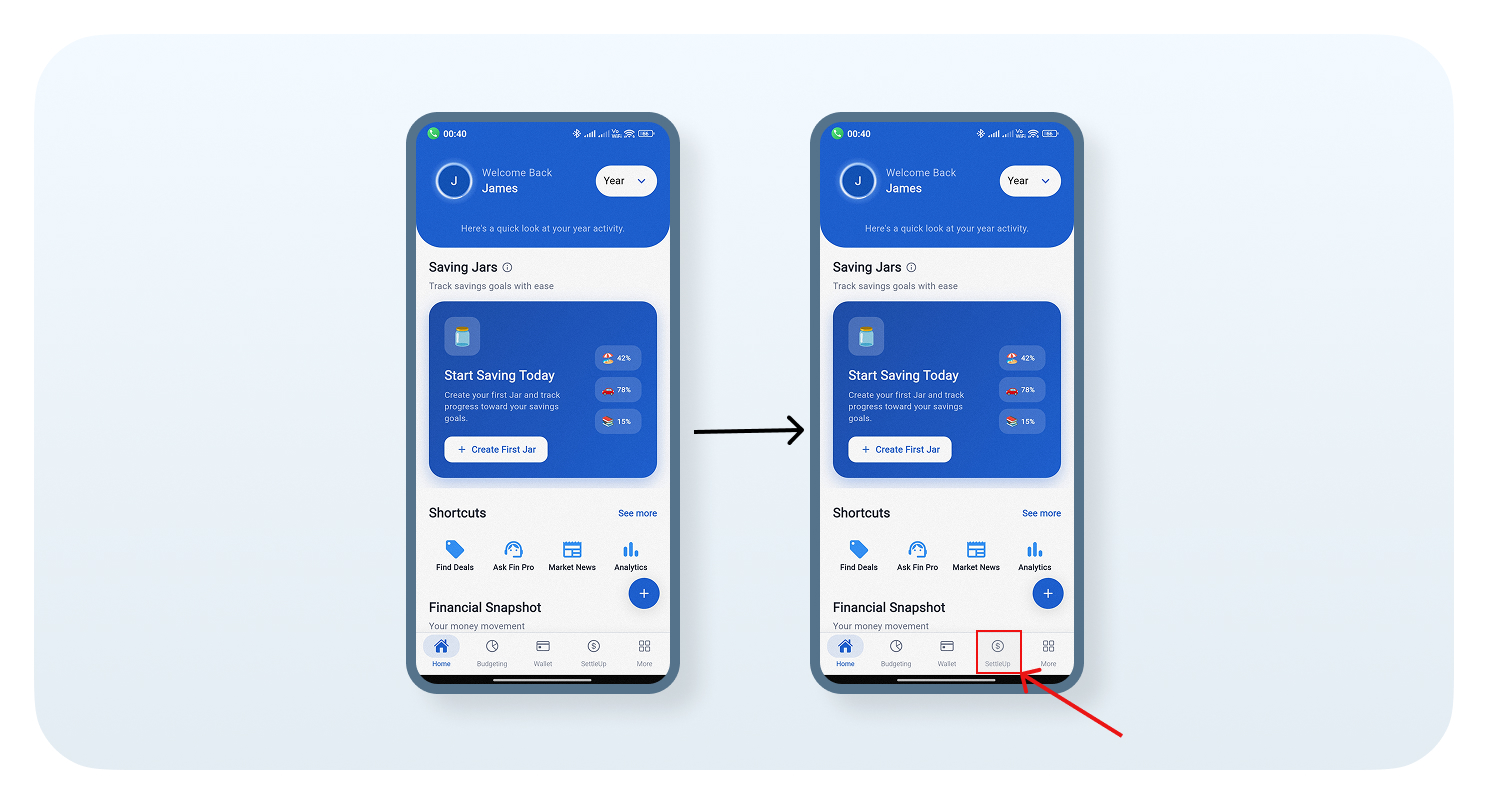
From the Grecify Home screen, tap the SettleUp option in the bottom navigation bar to get started.
Step 2: Create a New Room
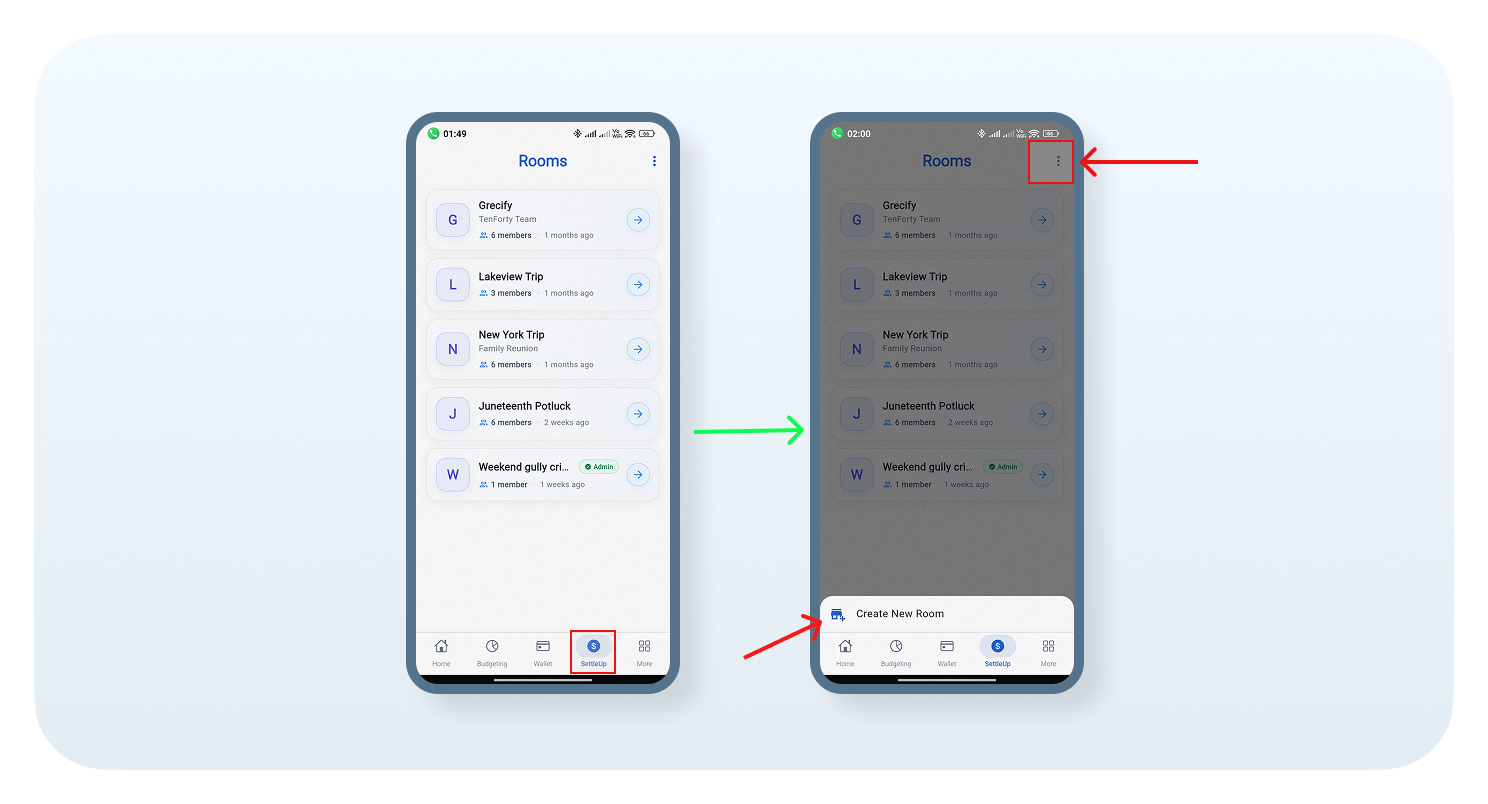
Your existing rooms will appear. Tap the three-dot menu, then select Create New Room.
Step 3: Create Your Room
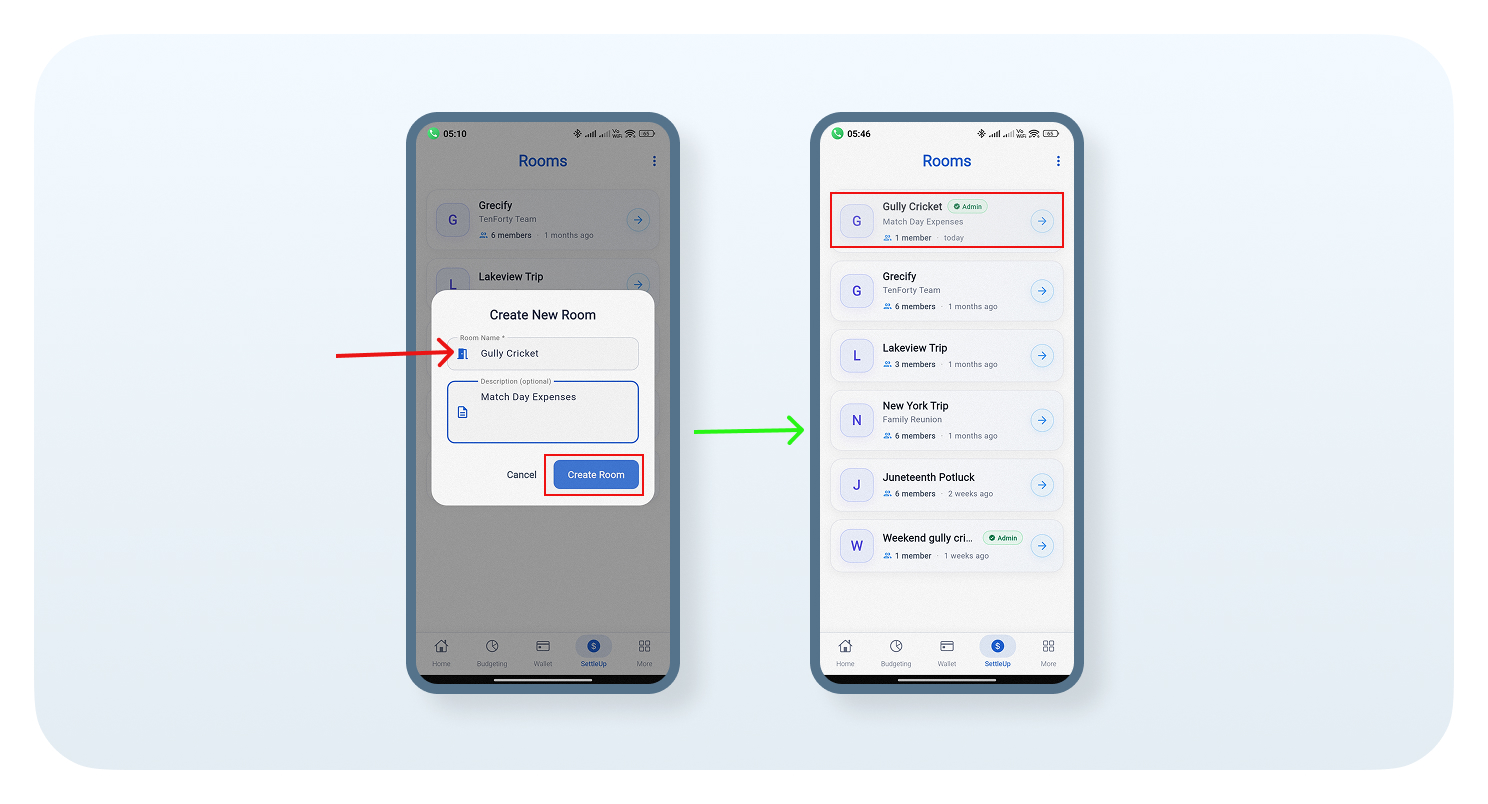
Enter the Room Name and an optional Description, then tap Create Room. Your new room will appear in the Rooms list.
Step 4: Add Members
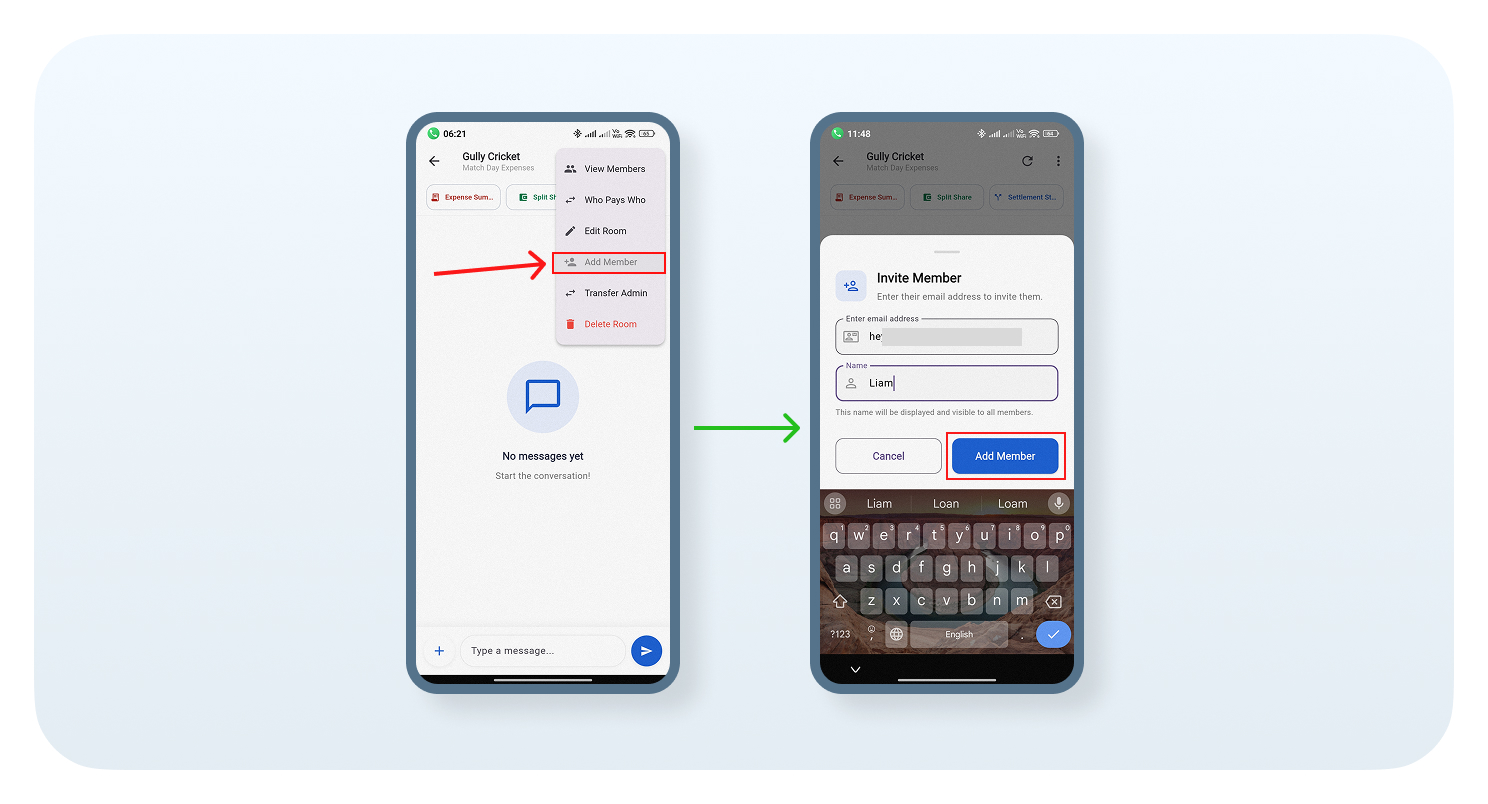
Tap the three-dot menu and select Add Member. Enter the member's email address and name, then tap Add Member.
Step 5: Add an Expense
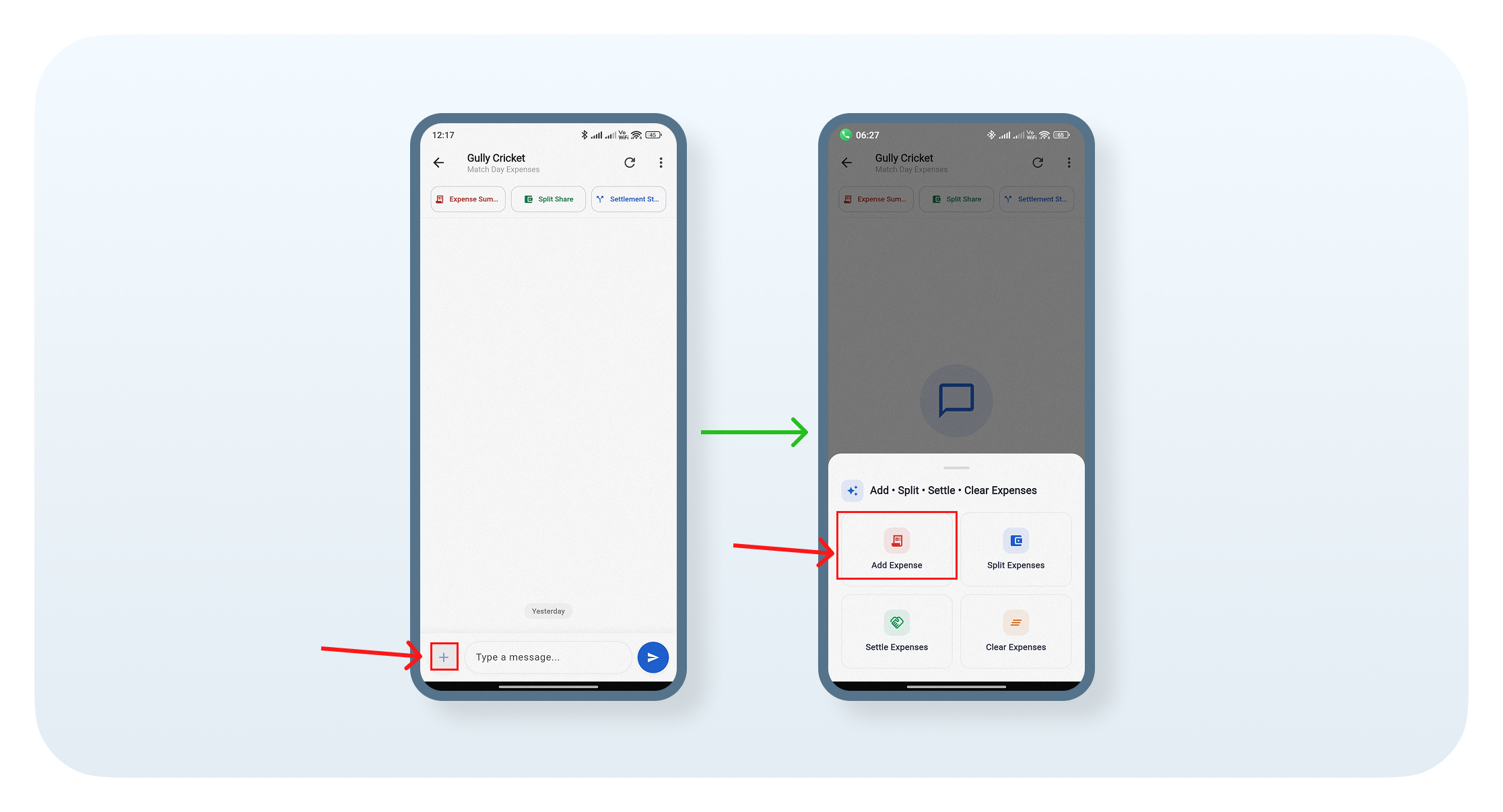
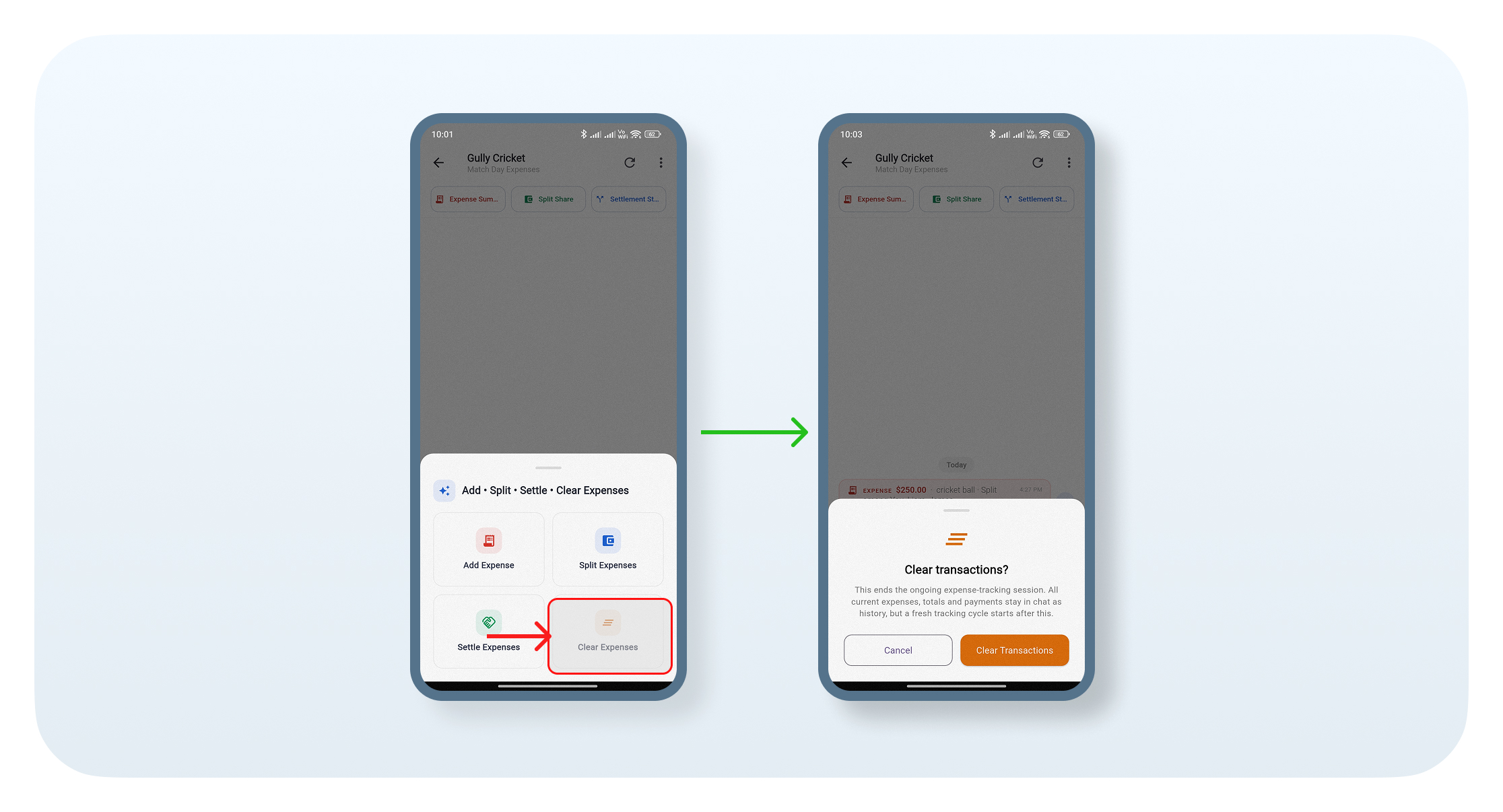
Tap the + icon to open the options: Add Expense, Split Expenses, Settle Expenses, and Clear Expenses. Select Add Expense to continue.
Step 6: Enter Expense Details
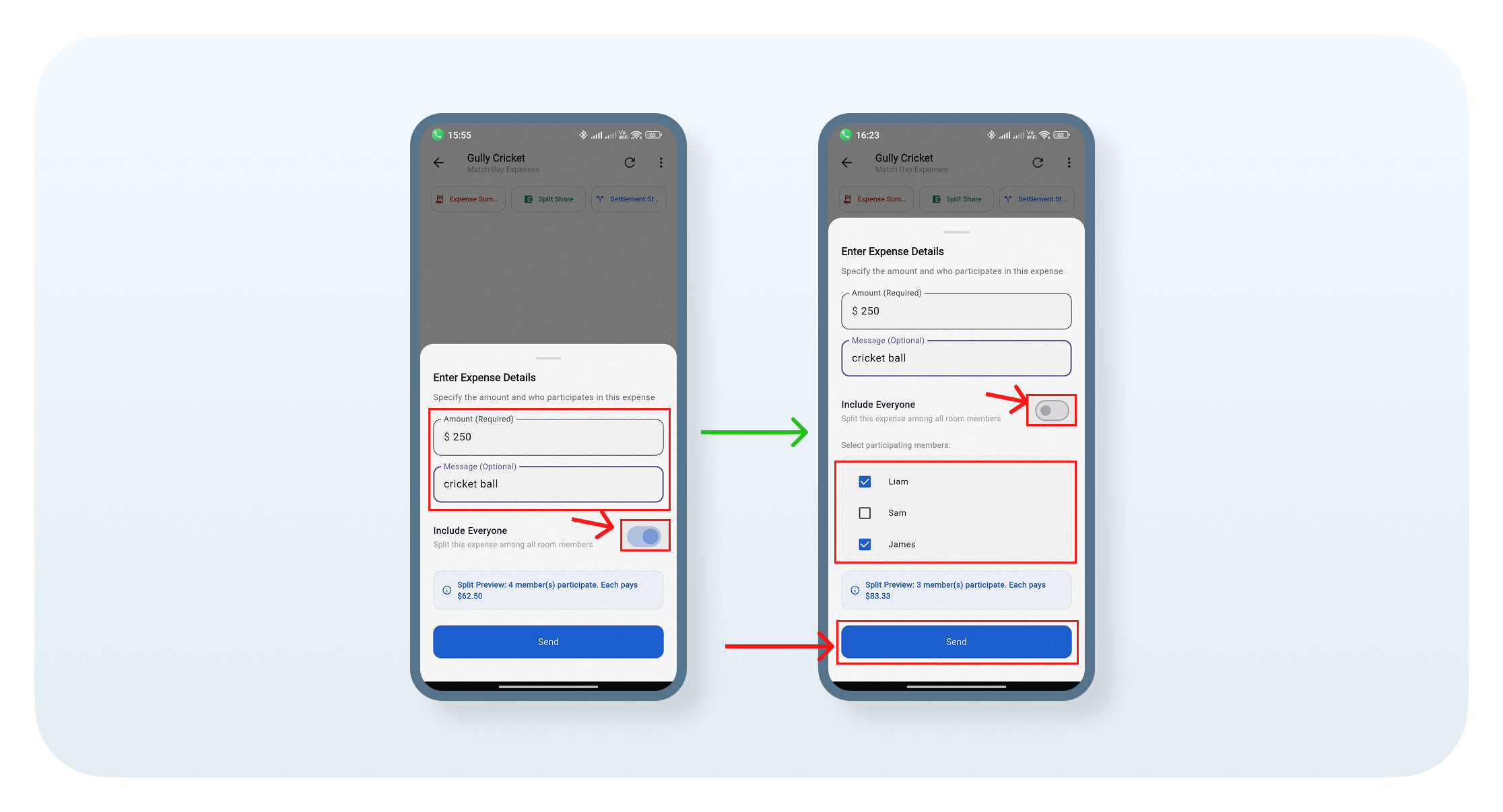
Enter the expense amount and add an optional message describing the expense. You can include everyone or turn off Include Everyone to select specific members. Review the split preview, then tap Send to add the expense.
Step 7: Split Expenses
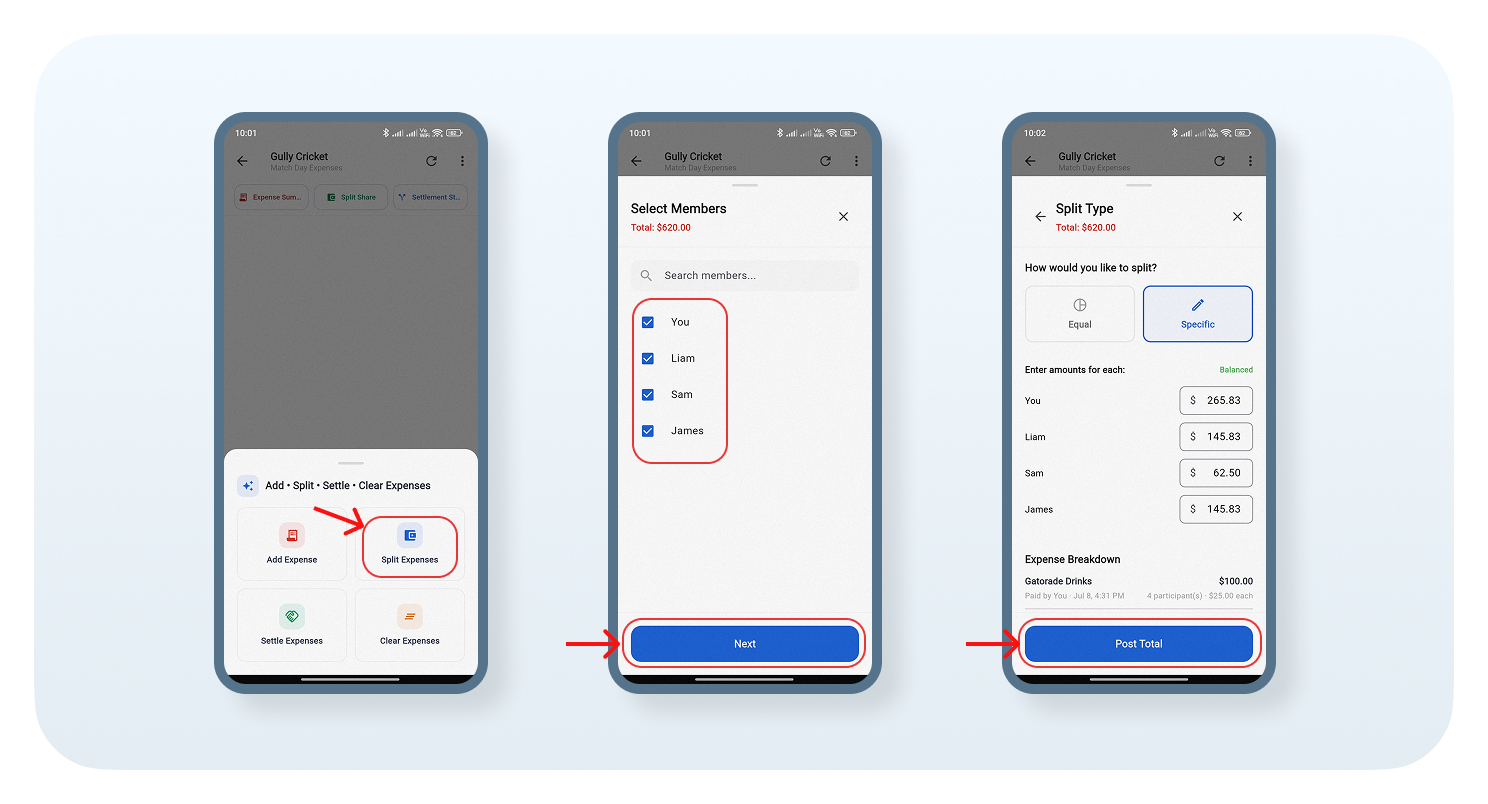
Select Split Expenses, then choose the members who should be included and tap Next. Choose an Equal split or enter Specific amounts for each member. Review the expense breakdown, then tap Post Total to complete the split.
Step 8: Settle Expenses
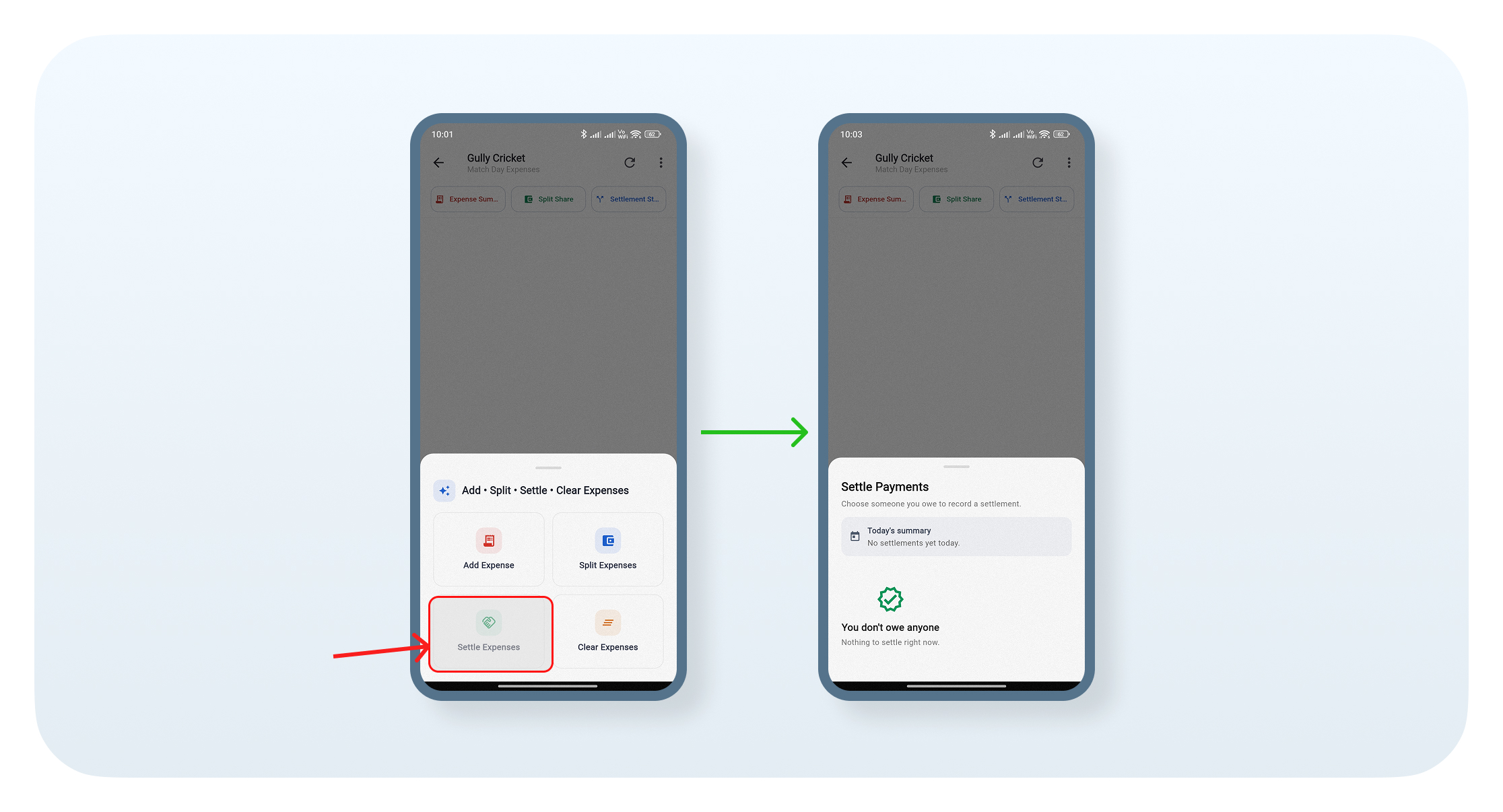
Select Settle Expenses to view any pending payments you owe to other members. If there's nothing to pay, the screen will show You don't owe anyone and Nothing to settle right now.
Step 9: Clear Expenses
Select Clear Expenses to end the current expense-tracking cycle. Your expenses, totals, and payments will remain in the chat history, while a fresh tracking cycle will begin. Tap Clear Transactions to confirm.
Step 10: View Expense Summary and Settlement Status
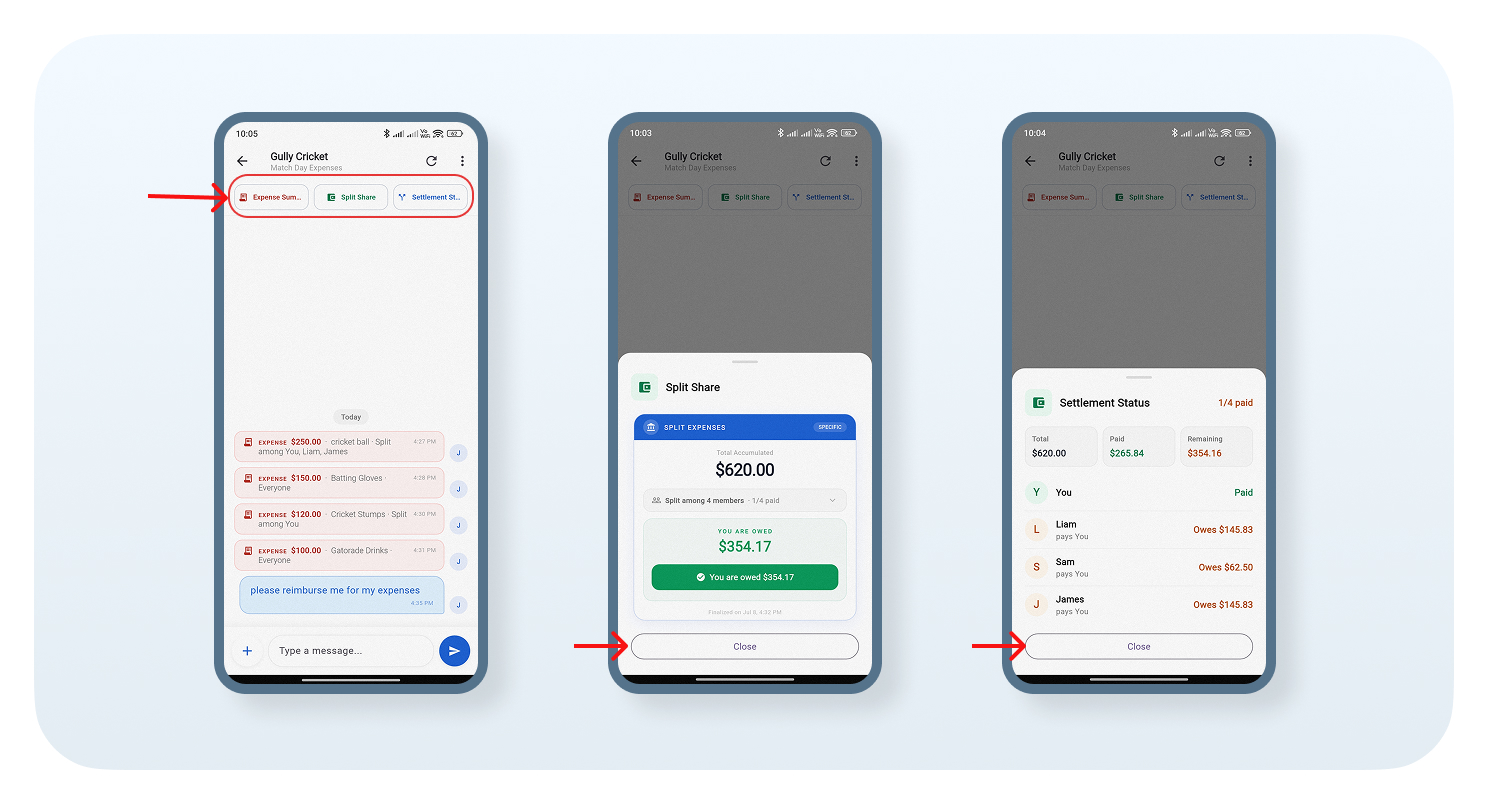
Use the options at the top to view the Expense Summary, Split Share, and Settlement Status. These sections help you track total expenses, split details, paid amounts, remaining balances, and who still owes money.
Conclusion
With Grecify SettleUp, you can create rooms, add members, track shared expenses, split costs, settle payments, and monitor balances --- all in one place. It makes managing group expenses simple, organized, and transparent.