

Learn how to find financial professionals or create your own professional profile in Grecify. Complete your profile, add your services and credentials, publish it, and connect with potential clients.
Step 1: Find or Create a Financial Profile
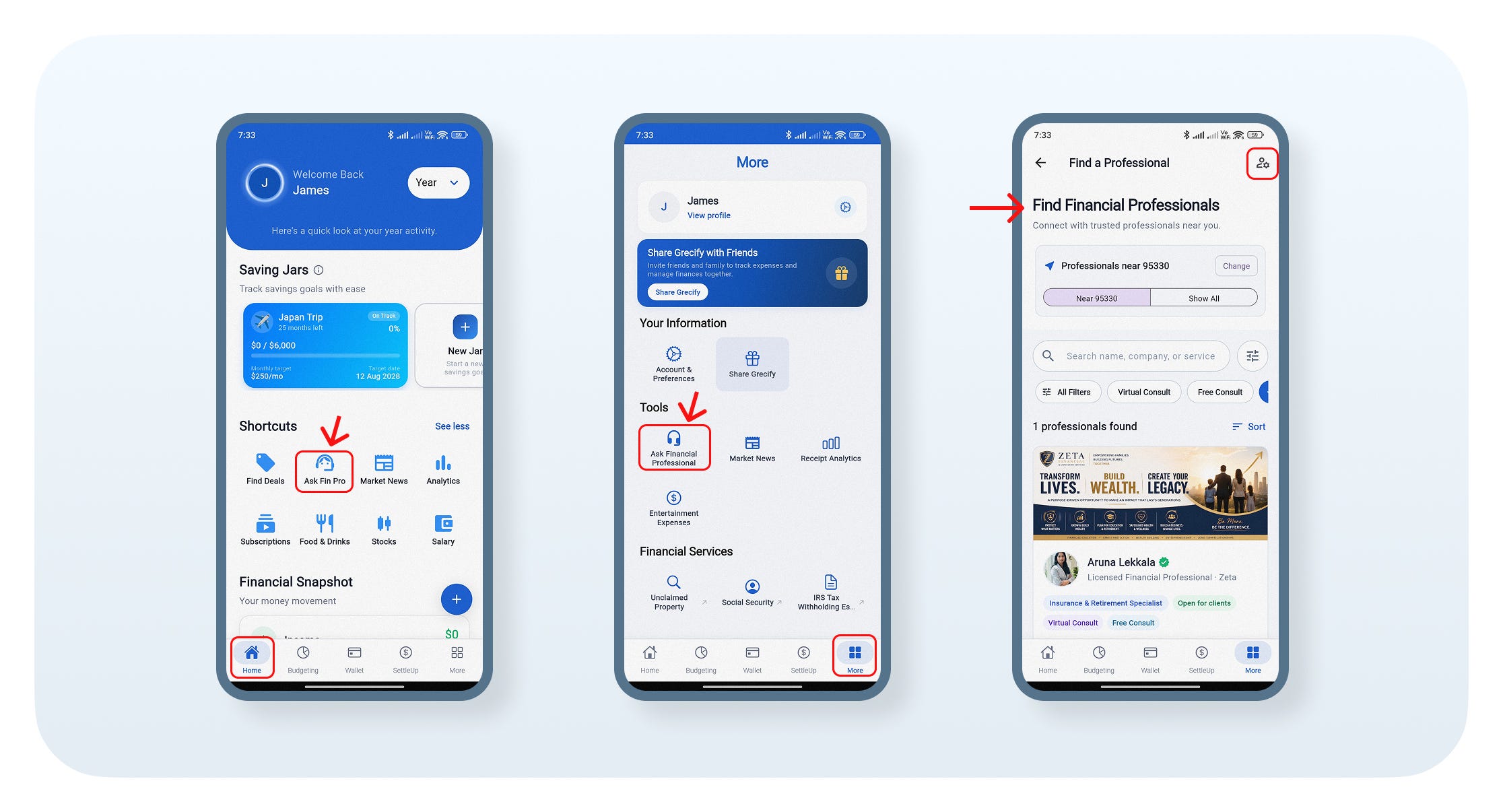
Open the Home screen and tap Ask Fin Pro under Shortcuts, OR open the More tab and tap Ask Financial Professional under Tools.
Browse nearby financial professionals, or use the search bar, filters, and sort options to find the right professional.
Step 2: View the Professional Profile
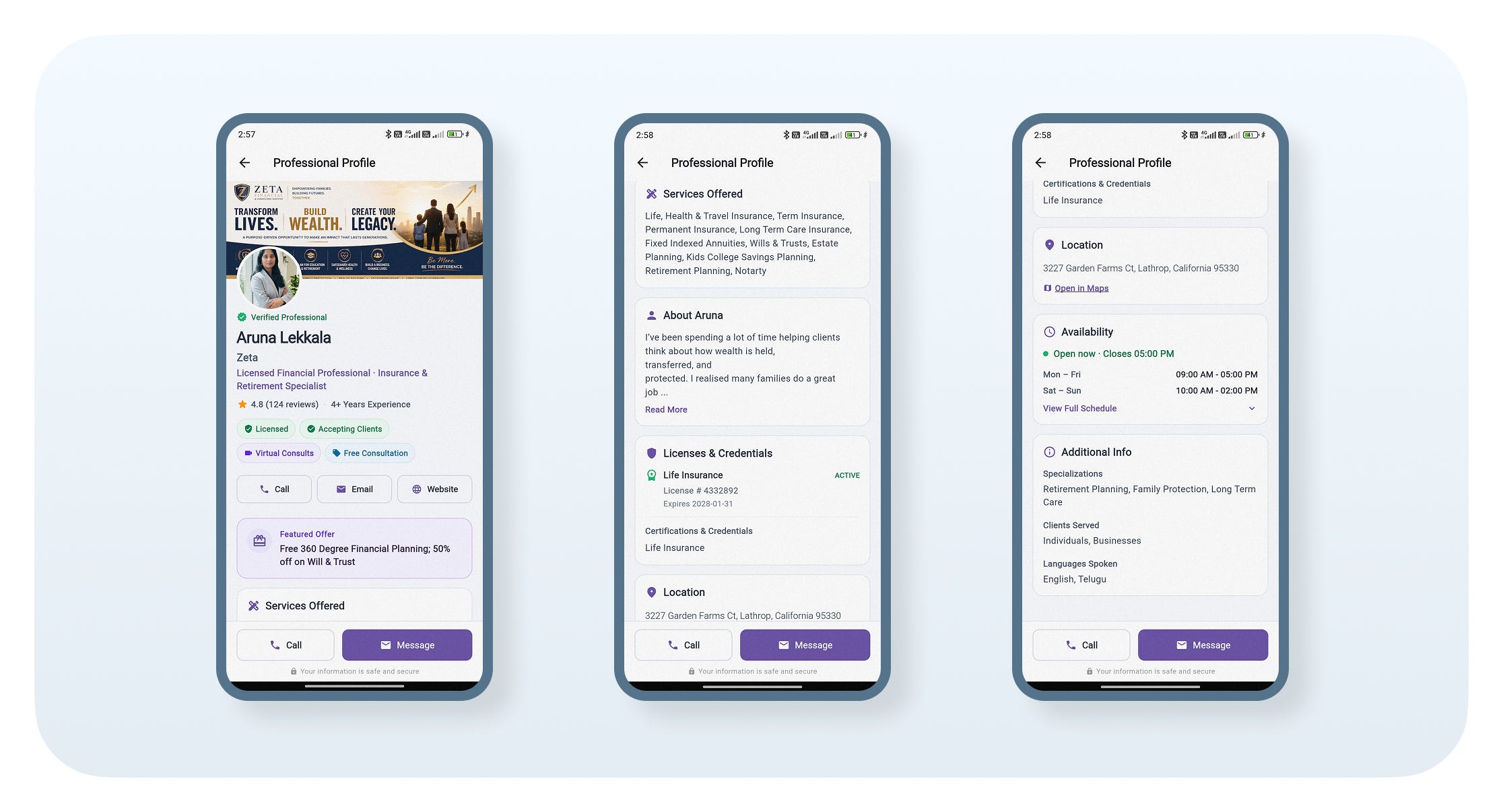
Tap View Profile to open the professional's profile.
Review the professional's experience, ratings, services, licenses, certifications, location, availability, and additional information.
Use the Call, Email/Message, or Website options to connect with the professional.
Step 3: Create Your Professional Profile
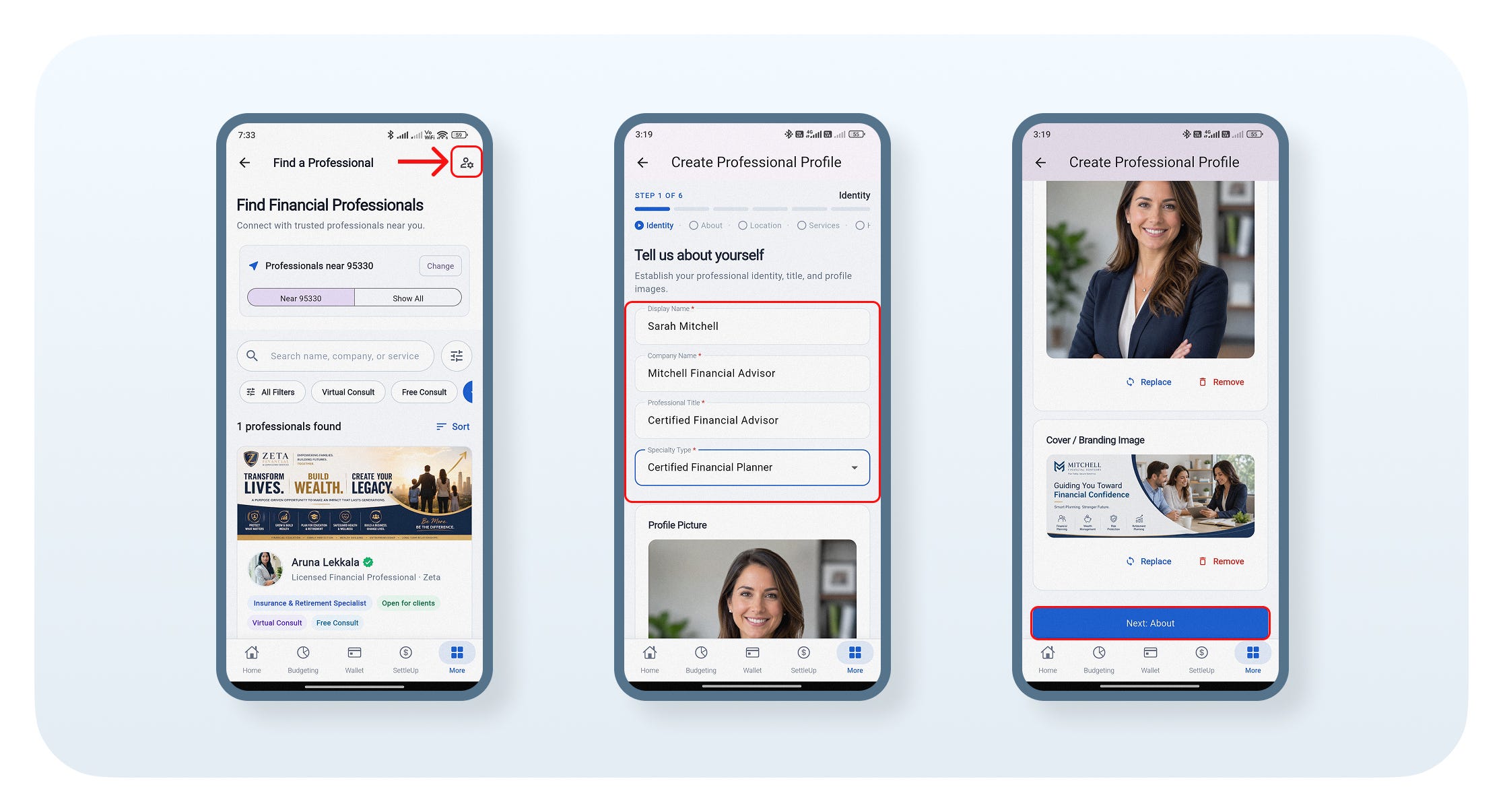
Tap the Create Profile icon in the top-right corner.
Enter your Display Name, Company Name, Professional Title, and Specialty.
Upload your Profile Picture and Cover/Branding Image.
Tap Next: About to continue.
Step 4: Add Contact & Location Details
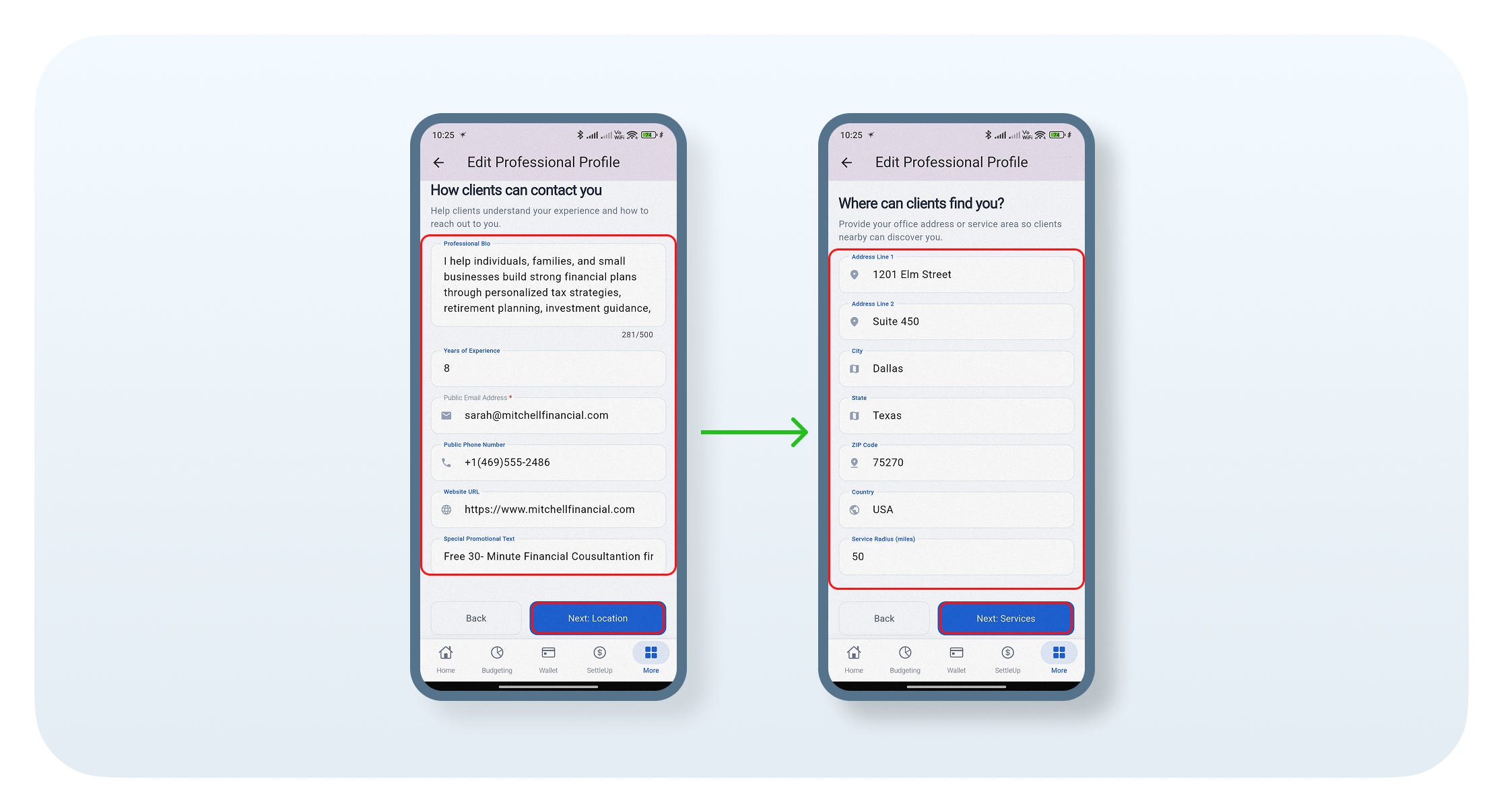
Enter your Professional Bio, Experience, Contact Details, Website, and Promotional Text, then tap Next.
Enter your Business Address, City, State, ZIP Code, Country, and Service Radius, then tap Next: Services.
Step 5: Add Services & Availability
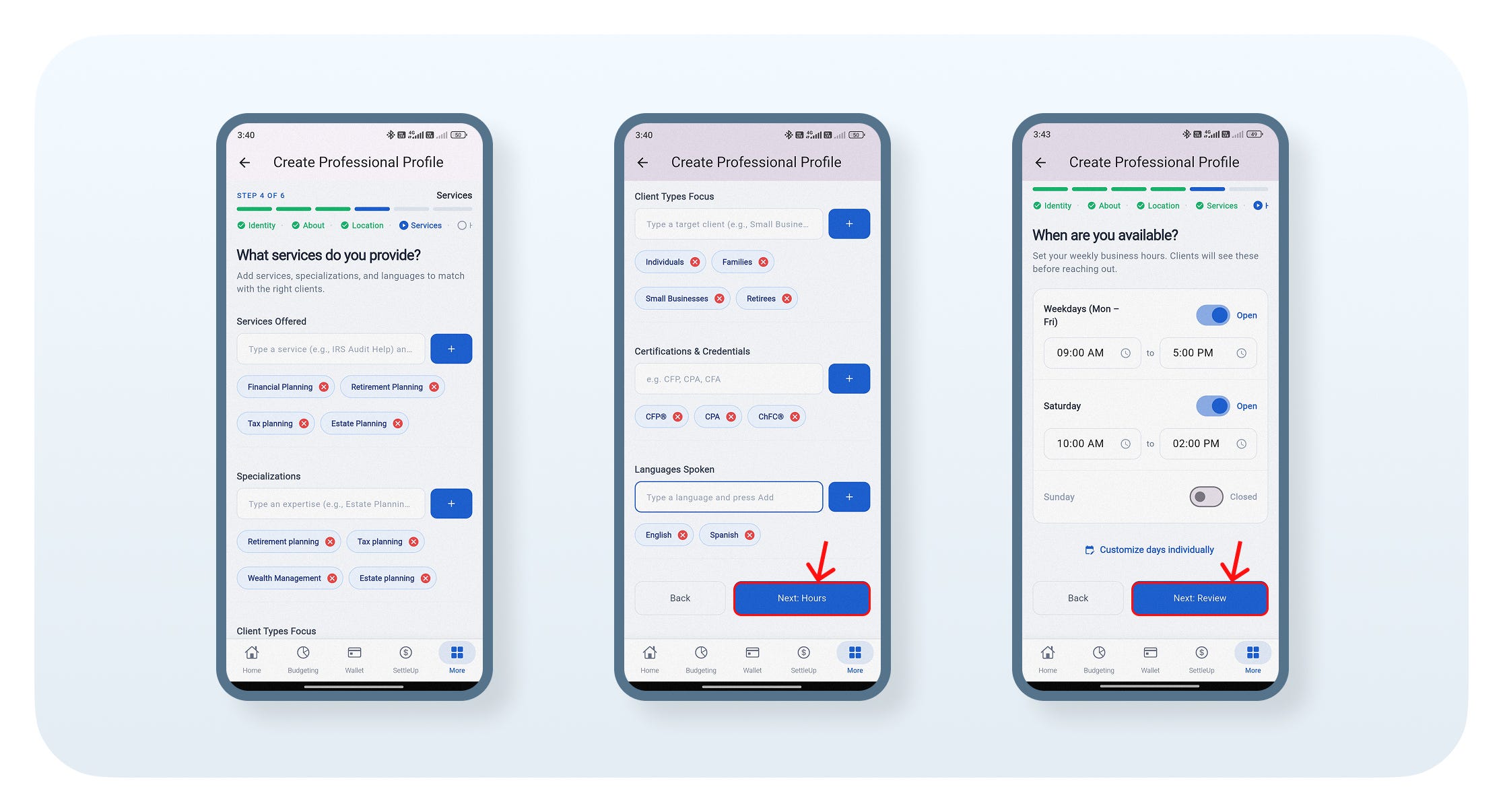
Add your Services Offered, Specializations, Client Types, Certifications, Languages, and Business Hours.
Customize your availability if needed, then tap Next: Review.
Step 6: Add License
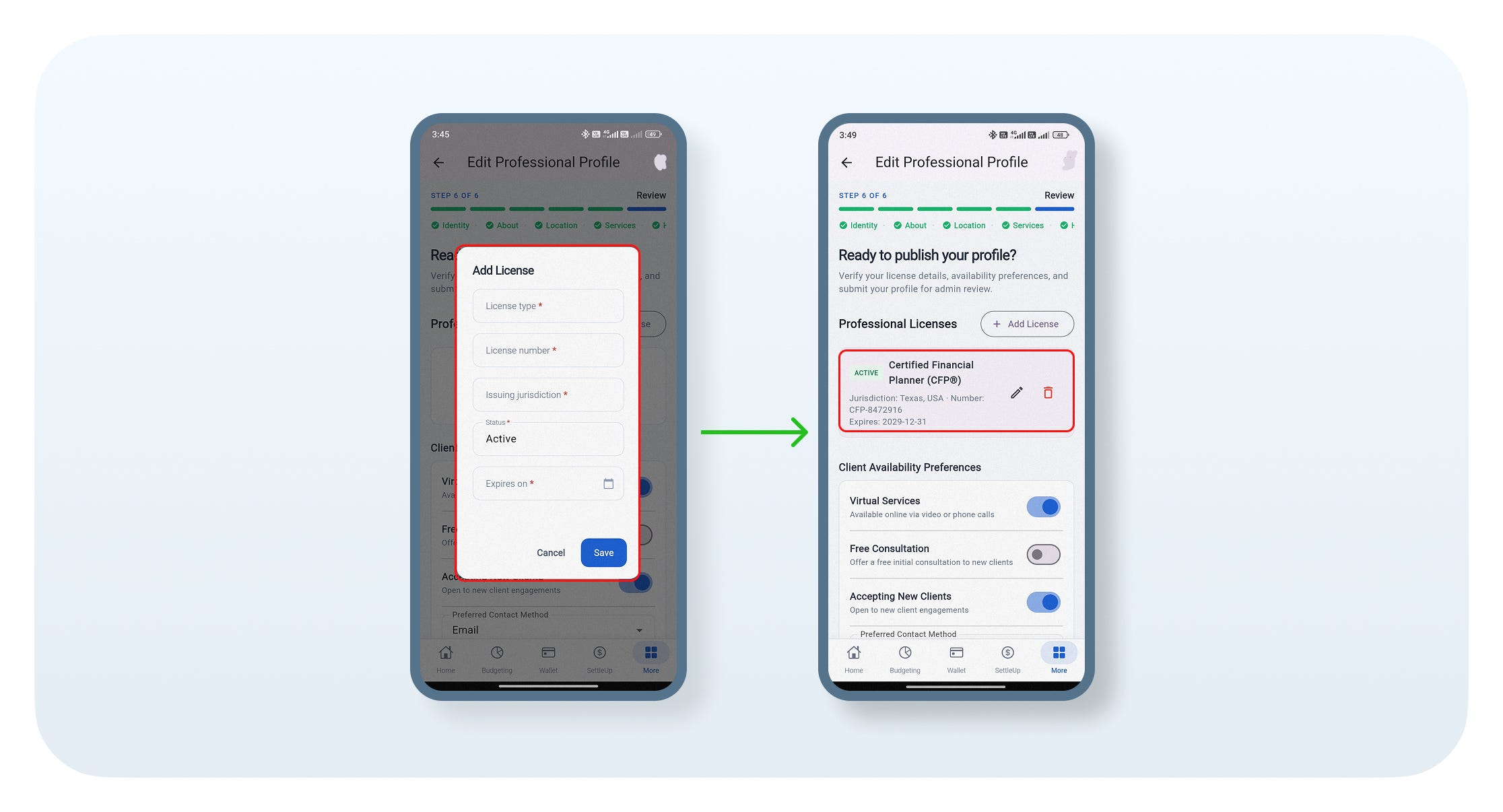
Add your Professional License details and save them.
Step 7: Review & Publish
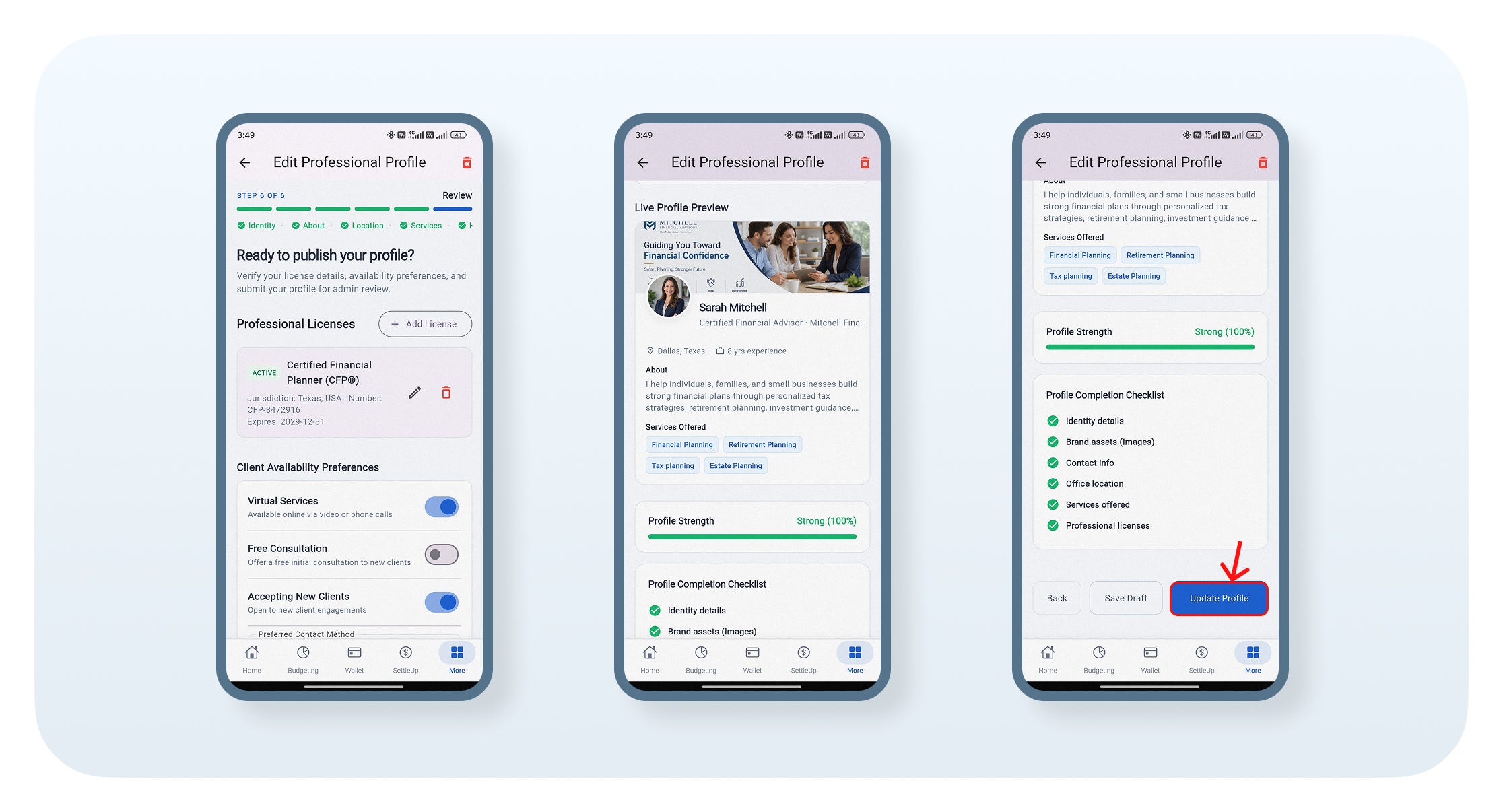
Review your profile, license details, availability, and profile strength.
Click Update Profile to publish your professional profile.
Step 8: View Your Published Profile
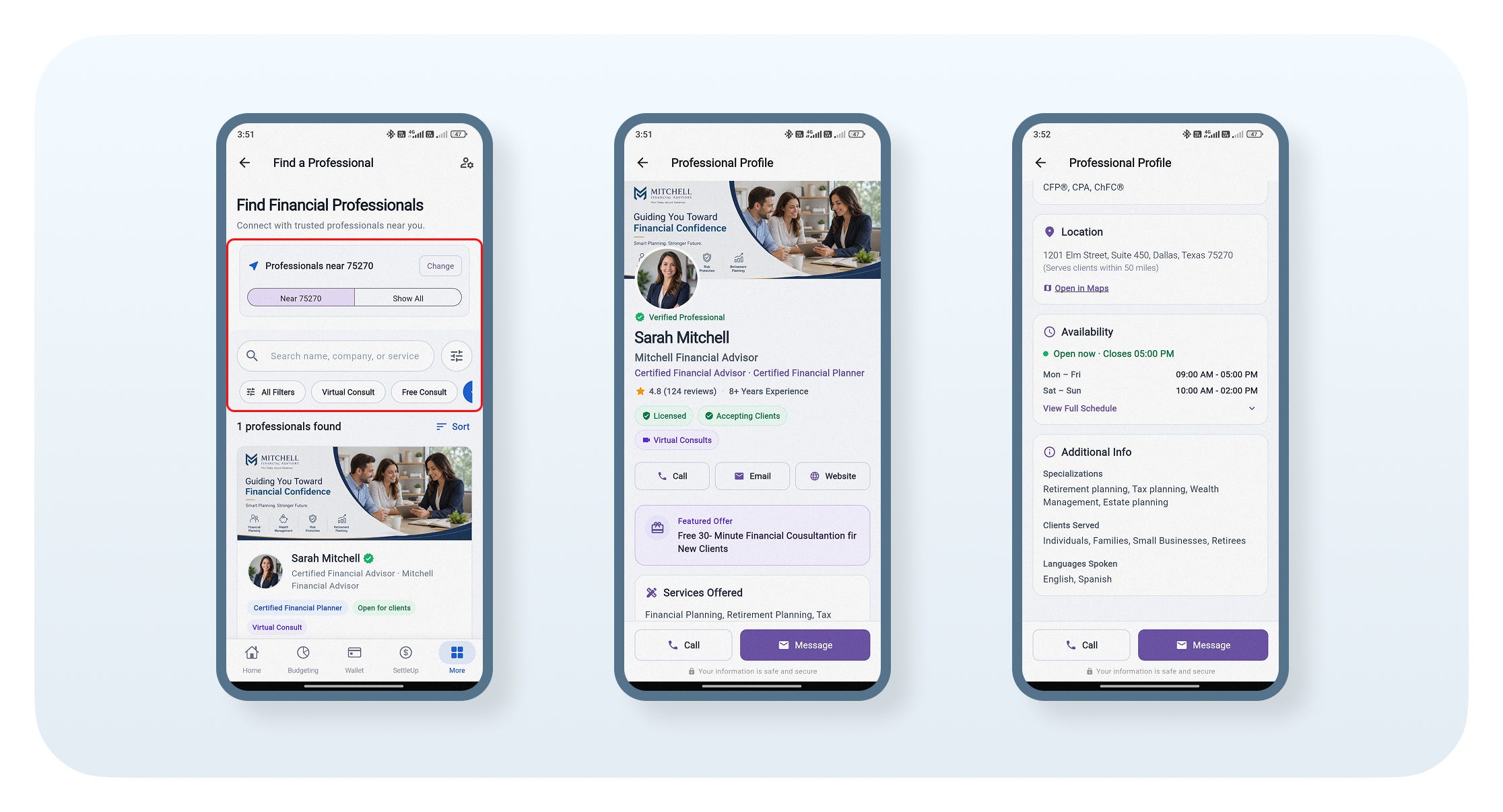
After publishing, your profile will appear in the Find Financial Professionals list.
Tap your profile to view and share your public professional profile.
Download Grecify
Ready to create your financial professional profile and connect with potential clients?
Download Grecify today: